


Key Takeaways
- If the original TV legs are missing, first look for model-specific replacement feet or use a compatible universal tabletop stand that matches the TV’s VESA pattern and weight.
- Wall mounts and freestanding floor stands are stable alternatives when you do not want the TV sitting on furniture.
- Furniture can provide the supporting surface, but a TV with no legs still needs a proper base or mount. Do not rest the bare screen directly on its bottom edge.
Introduction
It's easy to prop up your TV and get the setup you want, whether you're going for minimalist style or maximum functionality (goodbye, bulky stand).
Lost or broken your original stand? This challenge opens up possibilities. Your expensive TV needs stability, but you can create something better than what came in the box.
Wall mounting, repurposed furniture, replacement stands, DIY solutions - each option transforms your space differently. Here's how to upgrade your entertainment setup.
Do Flat Screen TVs Need Their Own Stand?
No. A flat-screen TV does not need its original factory stand, but it does need a support system designed for the TV. That can be model-specific replacement legs, a compatible universal tabletop stand, a wall mount, or a freestanding floor stand.
If the TV sits on furniture, the screen should still be attached to its proper base or stand. A dresser, sideboard, or console can provide the supporting surface, but it should not be used to balance a TV that has no feet or base.
Whatever option you choose, match it to the TV’s weight, screen-size range, and VESA mounting pattern where applicable.
Wall Mounting the TV
Wall mounting gives you the stability you want, whether you're after that clean, floating look or just need your TV secure (goodbye, wobbly stands).
When you mount to wall studs properly, the effect goes beyond safety. Your room opens up without floor clutter. You control the exact height for comfortable viewing. Plus, wall mounting is considered the gold standard for keeping expensive electronics stable.
Before choosing a mount, check your TV's VESA pattern - those screw holes on the back. Matching this standard spacing ensures your mount distributes weight properly.
Types of Wall Mounts
- Fixed Mounts: Keep your TV flat against the wall for that sleek, low-profile look. Perfect when your seating faces the screen directly.
- Tilting Mounts: Adjust the angle down 5-15 degrees to cut glare. Great for TVs mounted higher than eye level.
- Full-Motion Mounts: These articulating arms let you tilt, swivel, and extend your TV. Ideal for corner setups or watching from different spots.
- Pull-Down Mounts: Designed for above-fireplace placement. Pull your TV down to a comfortable eye level when watching.
- Ceiling Mounts: No wall space? These unique mounts drop from above to save space creatively.

Using a Universal Replacement Stand
It's easy to prop up your TV and get the stability you want, whether you prefer tabletop placement or just need something simple (goodbye, wall drilling).
Universal stands attach to your TV's VESA holes, creating a stable base without permanent installation. These aftermarket options often feature height adjustment and swivel capabilities - more flexibility than original stands ever offered. Just verify the stand matches your TV's size, weight, and VESA pattern.
If Your TV Has No Legs or the Original Feet Are Missing
If the original feet are missing, start with the TV’s exact model number. Check the manufacturer or an authorized parts source for replacement legs or the original base, since model-specific parts are designed for that TV’s mounting points and hardware.
If the original parts are unavailable, a compatible universal tabletop stand is usually the next practical option. Most attach to the VESA mounting holes on the back of the TV and create a stable tabletop base without requiring a wall mount.
Before choosing a universal stand, verify the VESA pattern, supported screen-size range, maximum TV weight, and required hardware. For larger or very thin TVs, also use appropriate anti-tip protection after installation.
Freestanding Floor TV Stands or Carts
Floor stands provide a foundation for complete mobility. These tall mounts rest on weighted bases or tripod legs, making them totally renter-friendly.
Many models roll on wheels, letting you move your entertainment anywhere. They include shelves for media components and cable management to keep everything clean. Your TV transforms into a mobile entertainment center that goes wherever you need it.

How to Raise and Secure a TV Without Mounting It
If you want to raise a TV without a wall mount, use a taller universal stand, a height-adjustable floor stand, a low media cabinet, or a sturdy sideboard instead of stacking loose items under the screen. The goal is to add height while keeping the support wide, level, and balanced.
A universal stand with height adjustment is usually safer than a narrow riser because it lifts the TV from the mounting points on the back, not from pressure under the screen edge. For smaller TVs, a wide TV riser can work if it is rated for the full weight and gives the base enough depth.
To secure a TV without a wall mount, pair the raised surface with anti-tip straps. This matters most on tall dressers, narrow consoles, lightweight tables, or any setup where kids, pets, or pulled cables could shift the screen forward.
Repurposing Existing Furniture as a Stand
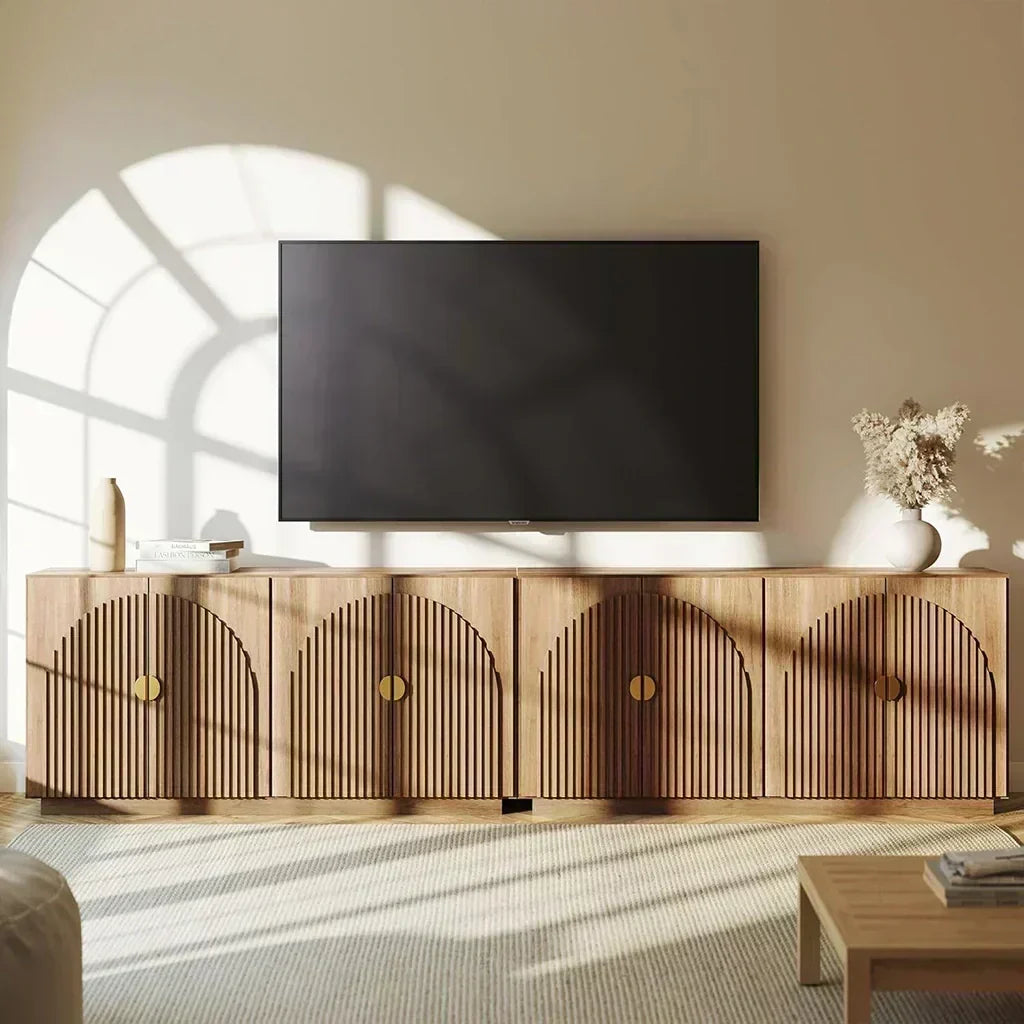
A dresser, sideboard, console, or other sturdy piece can provide the surface for a TV setup, but the furniture does not replace missing TV legs. If the TV has no original base, attach it to compatible replacement feet or a universal stand before placing it on furniture.
Check that the furniture provides enough usable width and depth for the TV base and that its published load rating supports the installed TV and any equipment placed on top.
Also check the final screen height and secure the TV and furniture appropriately for the room.
Dressers and Sideboards
Dressers provide a solid foundation at just the right height. Their built-in drawers store all your media gear beautifully.
Make sure the top surface extends wider and deeper than your TV's base. Without wall anchoring, those convenient drawers become tipping hazards.

Bookshelves or Shelving Units
Bookshelves work wonderfully if the shelf runs deep and strong enough to prevent sagging. Lower shelves house your consoles and devices. Taller, narrower units need extra care - secure them firmly to the wall.
Desks, Consoles, or Tables
A sturdy desk or console creates an effective TV platform. Check weight limits first. Choose something wide enough to keep your TV secure from accidental bumps.
Entertainment Centers or China Cabinets
These larger pieces were designed as media hubs. Modern flat screens might need adjustments, though. Remove doors or shelves to fit your TV properly. Add cable holes in the back for wiring and airflow.
Build a DIY TV Stand or Shelf (Creative Solutions)
It's easy to build your own TV support and get the exact look you want, whether you're going for industrial chic or custom-fitted elegance (hello, weekend project).
DIY Wood Stand
If you want to build a TV stand, build a low, wide furniture base or media console with a flat top sized for the TV’s proper stand or feet. The finished structure should have a known load capacity and enough depth to keep the TV base fully supported.
Avoid homemade TV legs or designs that require the bare TV to lean against the structure. If the factory feet are missing, use replacement feet or a compatible universal VESA stand on top of the finished furniture.

Industrial-Chic Solutions
If you want an industrial look, use a purpose-built low console or a properly constructed wood-and-metal media unit rather than loose blocks, crates, or stacked boards.
The TV should sit on its original base or a compatible replacement stand, with the entire support footprint on a flat, stable surface.
Wall-Mounted Shelf Unit
Heavy-duty brackets and thick plywood form a custom TV shelf. Build a frame around it for that built-in look. Mount brackets into studs with extra support for longer spans. Make the shelf at least as deep as your TV. Paint or finish to match your decor.
Temporary Solutions
It's easy to prop up your TV temporarily and get through tonight, whether you're between moves or just waiting for that mount to arrive (hello, movie marathon).
These quick fixes work when you need something right now. Just remember they're stepping stones to proper solutions - your expensive TV deserves better long-term.
Avoid Resting or Leaning the TV on Its Bare Edge
Do not use the TV’s bare bottom edge as a stand. Leaning a flat-screen TV against a wall or furniture leaves it vulnerable to slipping, tipping, and pressure on the panel.
If the original feet are missing, use replacement legs, a universal tabletop stand, a freestanding floor stand, or a wall mount instead.
Makeshift TV Stand Ideas for Short-Term Use
If you are waiting for replacement parts, keep any temporary setup low, wide, stable, and fully supportive of the TV’s proper base.
Safer short-term options include:
- A sturdy low media console or sideboard: Use it only when the TV is sitting on its original base, compatible replacement feet, or a universal tabletop stand.
- A low bookcase or storage unit: The top must be flat, deep enough for the complete TV base, and rated for the installed weight.
- A rated TV riser: This can add height when the TV already has a stable base and the riser supports the full footprint and weight.
- A freestanding floor stand: A practical temporary option when you cannot wall mount and the factory legs are unavailable.
Avoid uneven stacks of books, loose blocks, cardboard boxes, narrow shelves, or anything that supports the TV by pressing against the screen or its bare bottom edge.
Important Safety Tips
It's easy to keep your TV secure and get the peace of mind you want, whether you're wall-mounted or just using furniture (hello, safe viewing).
Secure the TV with Straps or Tethers
Add anti-tip straps to boost stability. These simple anchors connect your TV to furniture or walls. These anchors connect your TV to furniture or walls, creating the most effective accident prevention. Simple straps, major protection.
Check Weight Limits and Compatibility
Every support has its limits. Verify your mount, furniture, or DIY creation can handle your TV's specific weight and size. No guessing allowed here.
Do a Stability Test
Push gently from different angles after setup. Your TV should stay rock-solid, not rock back and forth. Any movement means adjustments are needed immediately.
Mind the Surface
Level, flat surfaces provide the foundation for TV safety. Clear away clutter that causes wobbling. Skip slippery surfaces completely - they're disasters waiting to happen.
Cable Management
Loose cables create trip hazards that bring everything crashing down. Tuck them away with ties or management systems. Organized cables mean safer spaces.
Conclusion
A missing TV stand does not mean you need to balance the screen on a makeshift base. If the original legs are gone, start with model-specific replacement feet or a compatible universal stand. Wall mounts and freestanding floor stands are also practical long-term options.
Furniture and DIY media units can work as part of the setup when they provide a stable, properly rated surface for the TV’s actual base or stand. Choose the option that fits your room, TV specifications, and installation needs.
Looking for a stable base? Explore Belleze’s TV stands that combine function and design.
You Might Also Like

Leave a comment
This site is protected by hCaptcha and the hCaptcha Privacy Policy and Terms of Service apply.